
The Church Accounting Software Guide
This site was designed to help church leaders in their quest to find good church accounting software (also known as church financial software). The truth is that churches are different than businesses and their accounting is a bit different too. Churches are considered a special type of not-for-profit or nonprofit organizations. They have special accounting requirements and therefore need specific accounting software designed especially for churches.
What makes church accounting so different? Well the main difference is fund accounting. When money is donated or given to a church, the church needs to keep track of it a bit differently than a business would. First of all, a church needs to keep track of member donations for tax purposes. In addition, churches need to keep track of the type of donations in different “funds” or accounts. For example a member may specify that a certain donation is supposed to be used for a specific purpose (this could be for a new church, for missionary purposes, or for an upcoming service project). The church accountants and leaders have to keep track of where the money will be going (to do this, they use funds).
QuickBooks For Churches
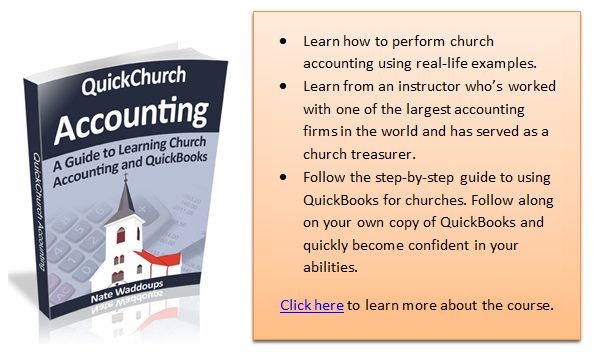
Interestingly enough many people don’t know that the most popular church accounting software is QuickBooks. Most new church accountants have heard of QuickBooks before, but they don’t know that Intuit (the makers of QuickBooks) makes a special nonprofit version that works great for churches. You can read more about it in my QuickBooks for Churches review.
Church Management Software
Some people don’t really see a difference between accounting software for churches and church management software. At first, I didn’t really see a difference either, but now that I’ve been writing about and reviewing this software for several years I see some key differences. Management software is designed to manage information about your members. For example you may want to know membership attendance for religious meetings. You’ll probably also need to track personal contact information for each of your members. Sure you could probably keep all of this information in a spreadsheet, but there is software out there that will do all of the hard work for you. Most software will allow church leaders to have a picture of the individual along with all the pertinent information all on one screen. This software can make being a church leader much more manageable.
Free Church Accounting Software
The old saying goes that “there is no such thing as a free lunch.” Well that’s only partially true. The truth is there are some free church accounting software packages available. However, they aren’t as sophisticated or user-friendly as the software that you can purchase. In addition, they may not have all the requirements to meet your needs.
Filed Under All | Leave a Comment
QuickBooks Non Profit Review
Recently, a lot of questions have arisen about the usefulness of QuickBooks as church accounting software. The following is an unbiased review of using QuickBooks for your Church’s accounting: (I hate mentioning it, but if you go through one of the links on this page to the QuickBooks site then you will automatically receive 20% off on the software. I only say this because a lot of people find out they want this software for their church, rush off to the store to buy it, and miss out on the savings).
QuickBooks has multiple versions of accounting software. They don’t have any software that is specifically named “Church accounting software.” They do however have a QuickBooks Nonprofit Edition. This edition is very popular among churches and non-profits. According to several surveys from The CPA Technology Advisor about 70 percent of non-profits use QuickBooks. At least one CPA I have communicated with thinks that this number is closer to 90 percent for churches. In other words, a majority of churches are using this software for accounting purposes. The premium nonprofit version (as opposed to the normal version) would probably be the best to use for your church’s accounting system, although some churches get away with using normal QuickBooks, known as QuickBooks Pro.
Advantages of Your Church Using QuickBooks
The number one advantage of using QuickBooks NonProfit for your church’s accounting is its ease of use. Many people, even those without much of an accounting background, are able to use QuickBooks effectively. A learning curve does exist, but it isn’t as large a curve as trying to learn a specialized church accounting software system.
Another advantage of using QuickBooks is its customer support. When we mention customer support, we are not necessarily talking about the people at Intuit who designed the software (although they are excellent). Chances are you know someone who is already quite familiar with QuickBooks. Imploring them to help you set up and run QuickBooks as your church accounting software might be the best route for your church.
One final advantage that should be mentioned is the QuickBooks Online Payroll option. This service is well worth the cost for most churches. Let’s face it, most church staff don’t really have a clue how payroll works or how time consuming it can be. If you use this online service, QuickBooks will do the hard work for you (direct deposit, W2 calculations, tax help, and customer support for the questions that you’re bound to have). Intuit Online Payroll Easy to Setup and Use. Try Now FREE for 30 Days. QuickBooks has standard payroll software if you’re interested in that as well.
Disadvantages of QuickBooks
**Update** It appears that Intuit has fixed the audit trail problem mentioned below and it is no longer a disadvantage for nonprofits. Several users have even claimed QuickBooks audit trail is among the best: see comment section for further discussion. ***
In the past QuickBooks didn’t leave much of an audit trail in some situations. If an error was made by your church accountant, then he/she could easily reverse the error without leaving any evidence. This is no longer a problem. Errors can be corrected easily, but the software does a great job of leaving an audit trail documenting what actually occurred.
You may be thinking that being able to easily correct errors is something you want in your church accounting system. The downside of this is that it can be easily manipulated. Most church accounting software requires an adjusting entry when an error is made. This leaves what is called an audit trail so that a church auditor, loan officer, or banker can look back and see any adjustments made throughout the year.
A skilled church accountant could easily cook your church accounting books if proper internal controls are not in place. QuickBooks now has these controls in place and is now very safe to use as church accounting software.
One disadvantage of using QuickBooks Professional instead of QuickBooks Non-Profit is that it was originally designed for businesses, not churches. Intuit’s non-profit software will make it easy to support your church’s reporting requirements, but QuickBooks Pro may not support your church’s reporting requirements or terminology. This is especially true if they are not similar to a normal business’s reporting requirements and terminology.
In Review:
- QuickBooks can be used for your church’s accounting (some estimate that 90% of churches are using this software)
- Advantages include ease of use and great customer support ( a lot of people know how to use this software)
- Disadvantages include the fact that this software was originally designed for businesses. This was a larger problem when Intuit didn’t have a special version for not-for-profits.
Filed Under Church Accounting Software Reviews | 65 Comments
keep looking »